Phone on-call
Settings→Alerts, notifications and on-call→Phone on-call
Voice-call option. If it is not in your plan, the tab is locked. Acknowledgement is done on the phone, not with a web button.
How it works
On an alert, the system calls the people in charge, in scenario order, with a spoken message (sensor, temperature, threshold).
- Pick up.
- Listen to the message.
- Press 1 to acknowledge, or 2 to hear it again.
- If nobody answers (or voicemail picks up), the call moves to the next contact.
The result then appears in alert history (Acknowledged status, call attempts on the file).
Where to configure it
Phone on-call tab:
- ON / OFF switch;
- How it works and History buttons;
- Manage on-call link.
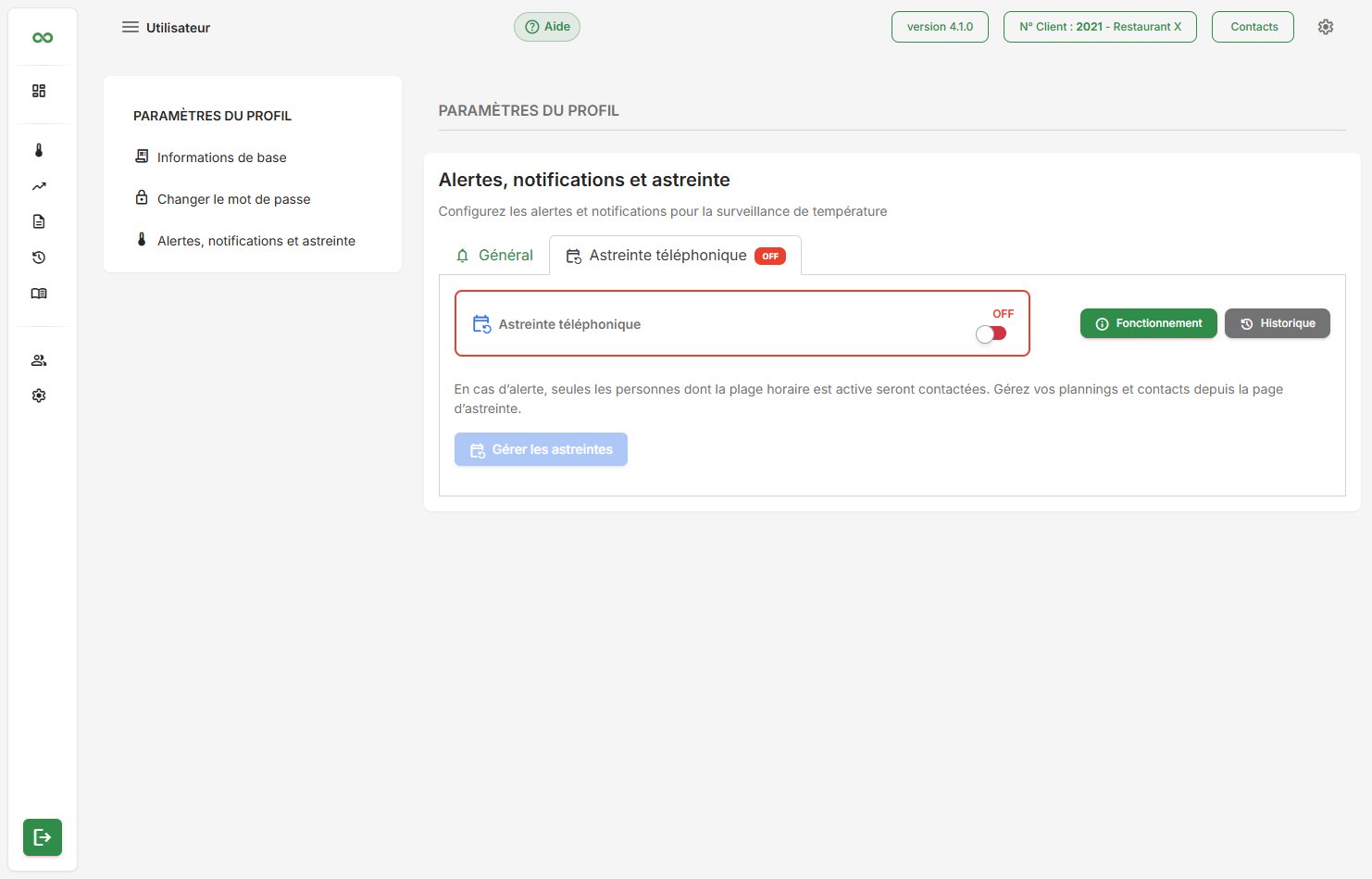
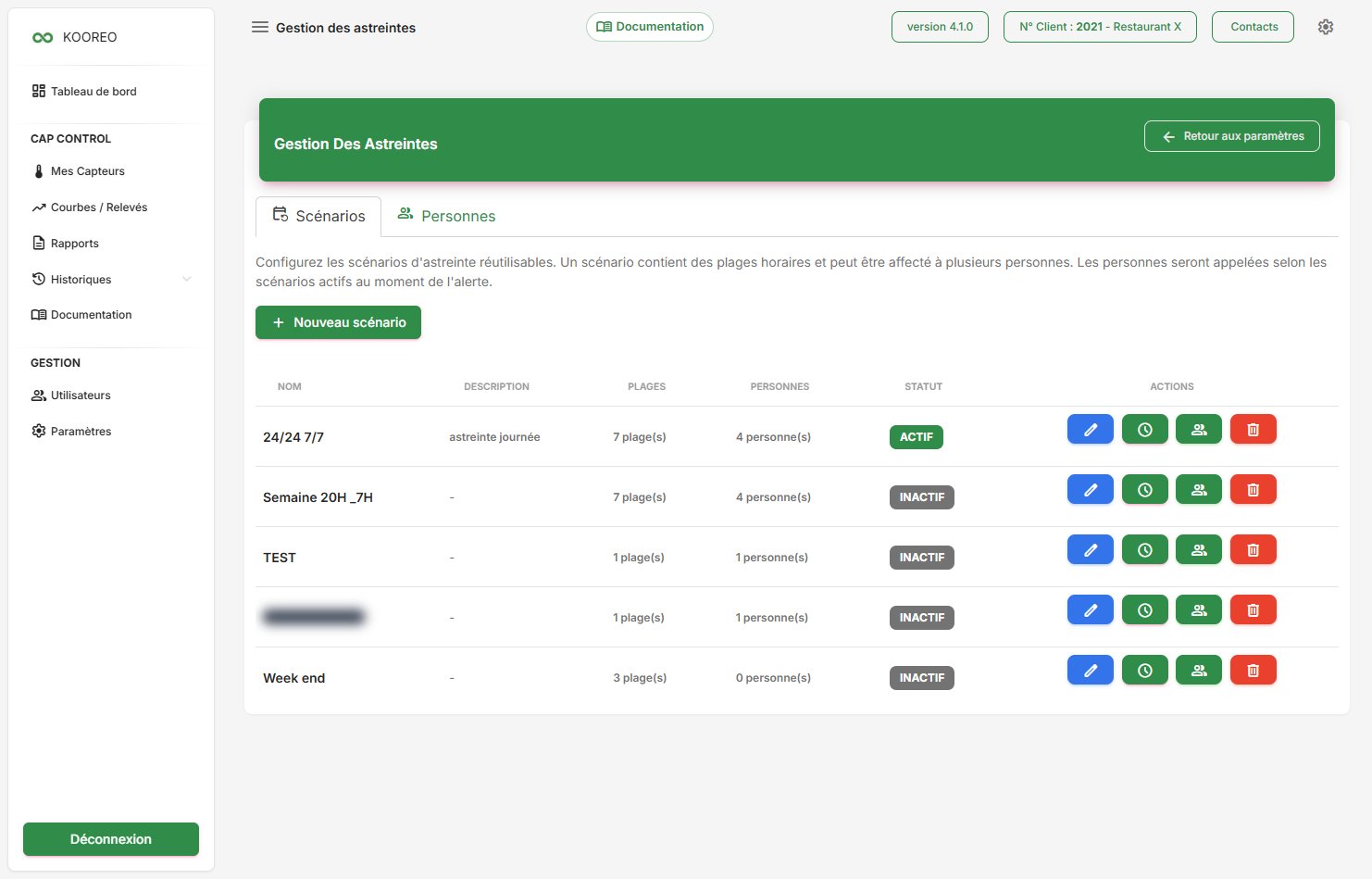
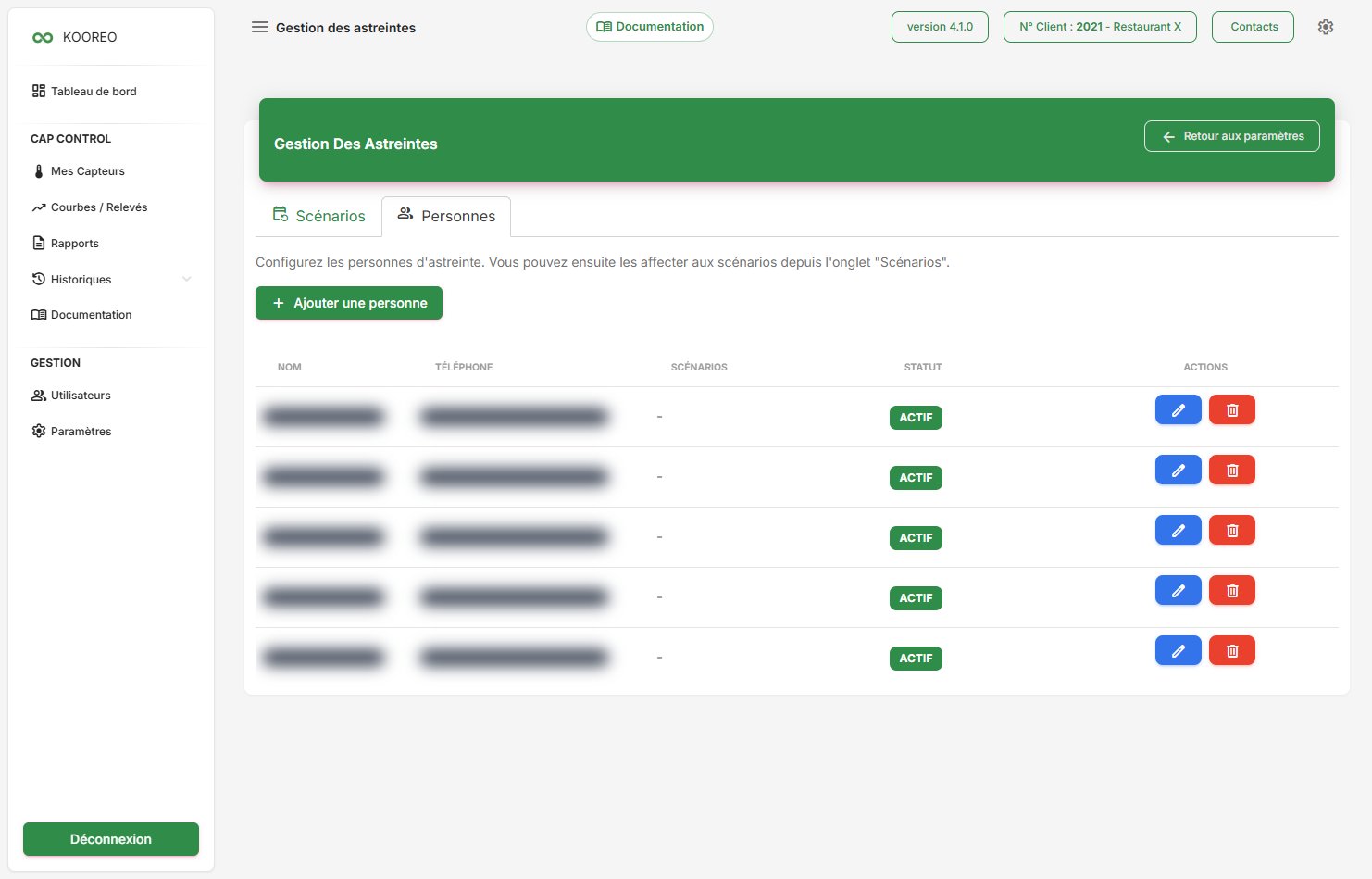
Manage on-call opens two tabs:
- Scenarios — time windows, assigned people, New scenario;
- People — first name, last name, international phone number, priority, windows.
A retry delay (5 to 120 min) is also set on this tab.
Without on-call
Email and SMS remain available according to the plan. Acknowledging with key 1 only exists if on-call is enabled.