My sensors
CAP CONTROL→My sensors
Your units as cards. Everyone can view them; editing is reserved for the customer administrator.
Help button — search, HACCP, card content
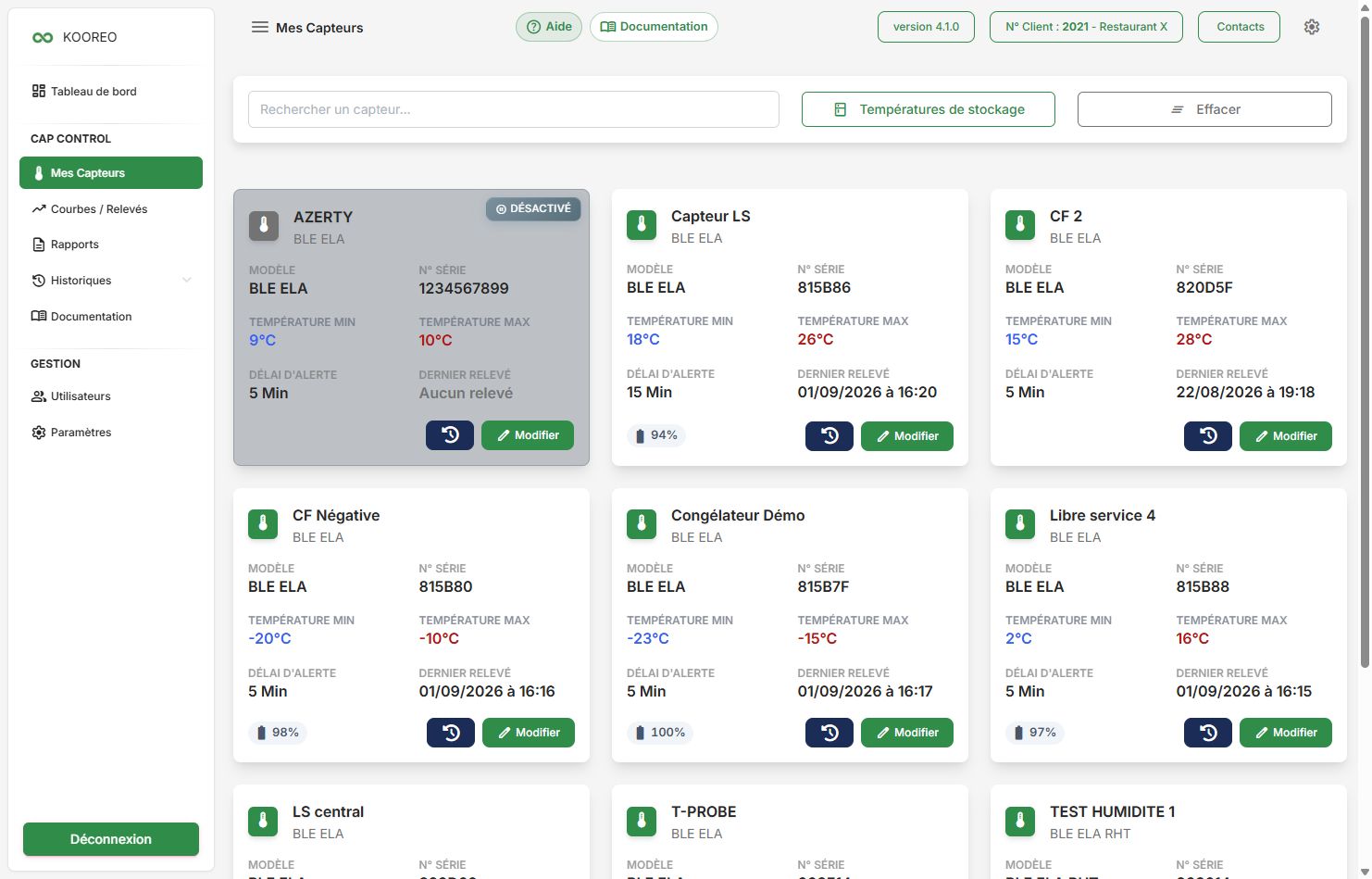
Toolbar
| Control | Role |
|---|---|
| Search a sensor... | Filter by name or serial number. |
| Storage temperatures | Opens the HACCP reference (helps choose thresholds; it does not apply them by itself). |
| Clear | Clears the search. |
Sensor card
Each card shows:
- name, category / model, serial number;
- Min / max temperature (°C);
- Min / max humidity (%) if the sensor allows it (RHT probe);
- Alert delay (minutes) and Last reading (or “No reading”);
- Battery (%);
- Disabled badge if the sensor is inactive.
At the bottom of the card (administrator):
- clock icon: change history (who changed what);
- Edit: opens sensor configuration in a dialog.
Charts
To see a sensor chart, use the dashboard (eye icon) or Charts / Readings.